School bus tracking

School bus tracking parents can watch in real time

The twenty minutes between the bus leaving school and reaching the stop are the most anxious of a parent's day. Live tracking turns that into a glance at a map.

For the parent

Where the bus is, right now

A parent opens Bus Tracking and sees the vehicle moving on a live map, along with the status of the day's trip — picked up, on the way, dropped. No phone call to the school office, no waiting at the stop guessing.

Pick-up and drop are logged with a timestamp, so the record of when a child boarded and left is there afterwards rather than depending on someone's memory.

  • Live location — the vehicle's position on a map, updating as it moves
  • Trip status — today's pick-up and drop, with times
  • Driver details — who is driving the route, and how to reach them
  • Alerts — a notification when the child is picked up and when they are dropped
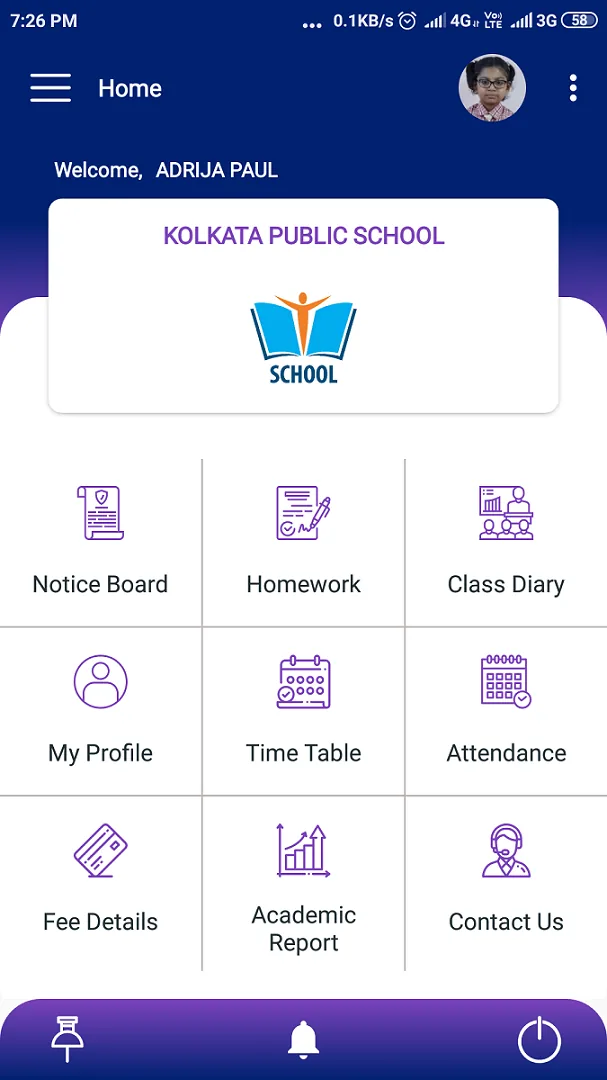
School eDiary school bus tracking on a live map with pick-up status School eDiary home dashboard with notice board, homework, attendance and fee shortcuts
For the school

What the transport office gets

Whole-fleet view

Every vehicle on one map, so the transport office can answer any question immediately.

Trip history

Where a vehicle was and when, kept as a record rather than as someone's recollection.

Route and stop lists

Which students are on which route and stop, kept with the rest of the student record.

Safety

Why schools install it

Transport is the part of the school day that happens outside the campus and outside the parent's sight, and it is where a school carries the most risk for the least visibility. Most institutions that add tracking do it after one incident — a bus delayed in traffic with no way to tell forty families, or a child who got off at the wrong stop.

Live tracking does not prevent traffic. What it does is remove the information gap: the parent can see the delay rather than imagine it, the office can answer a worried call in seconds, and there is a record afterwards of exactly where the vehicle was and when.

It also settles the routine questions — whether the bus has left, whether a child boarded — without anyone having to ring the transport in-charge.

A School eDiary notice opened in full with the school's published message School eDiary class diary showing topics taught, subject by subject
Questions

School bus tracking — frequently asked

How does school bus tracking work?
A GPS device is fitted in each school vehicle. Its position streams to School eDiary, and authorised parents see the bus on a live map inside the app along with today's pick-up and drop status. Administrators see the whole fleet.
Can any parent see any bus?
No. A parent sees only the vehicle their own child is assigned to. The full fleet view is restricted to the school's transport staff and administrators.
Does it track the child or the vehicle?
The vehicle. The app does not track a student's or a parent's own phone. Pick-up and drop for a child are recorded as events, not as continuous location.
What hardware is needed?
A GPS tracking unit per vehicle, which we supply and fit as part of the transport add-on. Nothing is needed on the parent's side beyond the app.
Is bus tracking included in the standard subscription?
It is an optional add-on, priced separately because it involves hardware per vehicle. It can be added at any time to an existing School eDiary setup.
Get started

See it running with your school’s own data

Tell us about your institution and we will set you up with a 30-day trial — no card required.

School eDiary home dashboard with notice board, homework, attendance and fee shortcuts A School eDiary notice opened in full with the school's published message